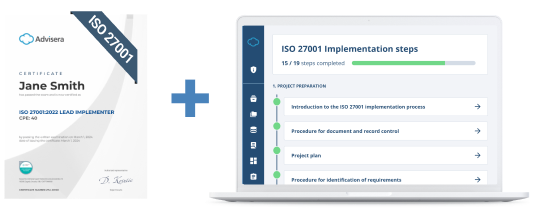


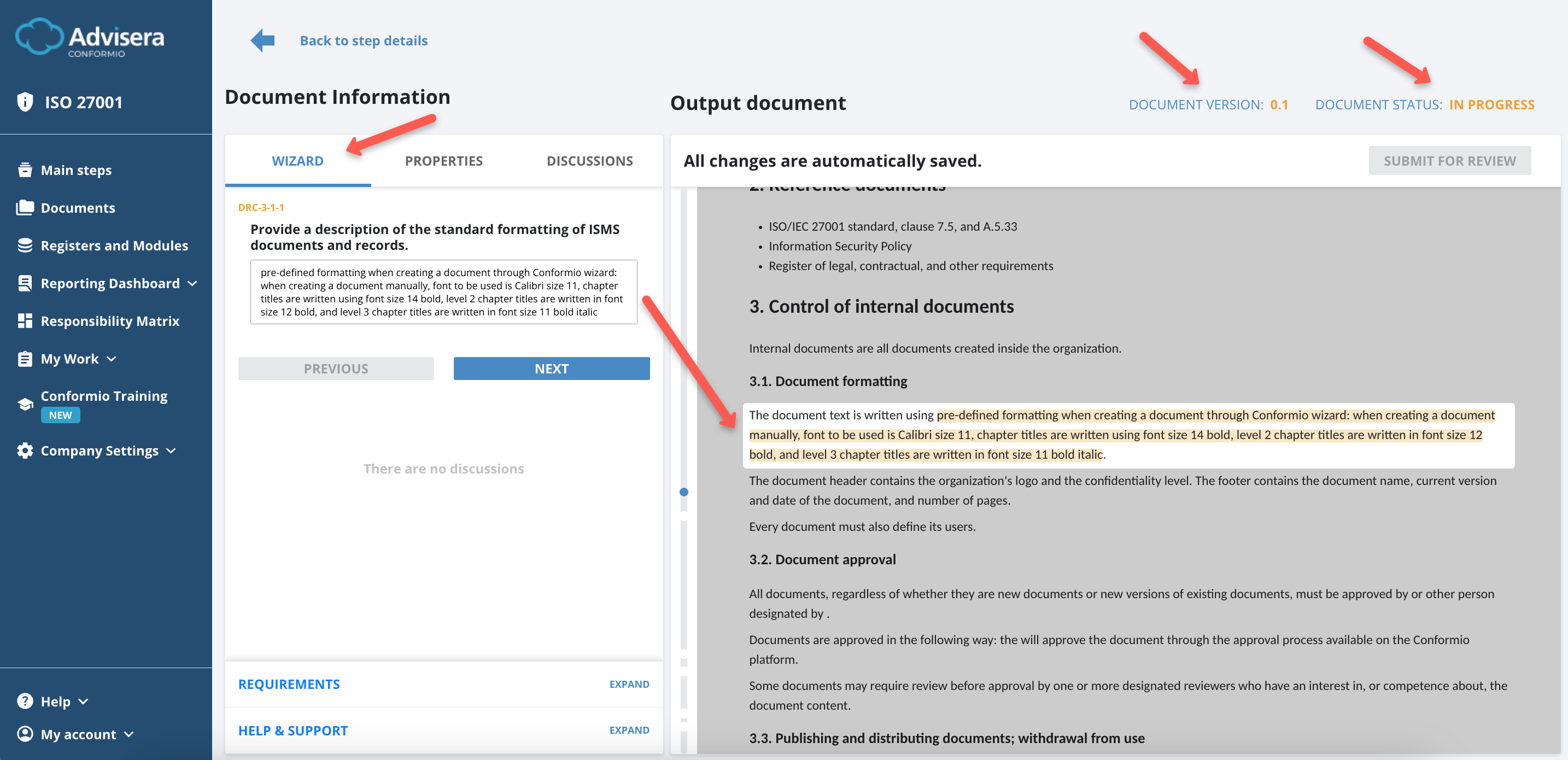
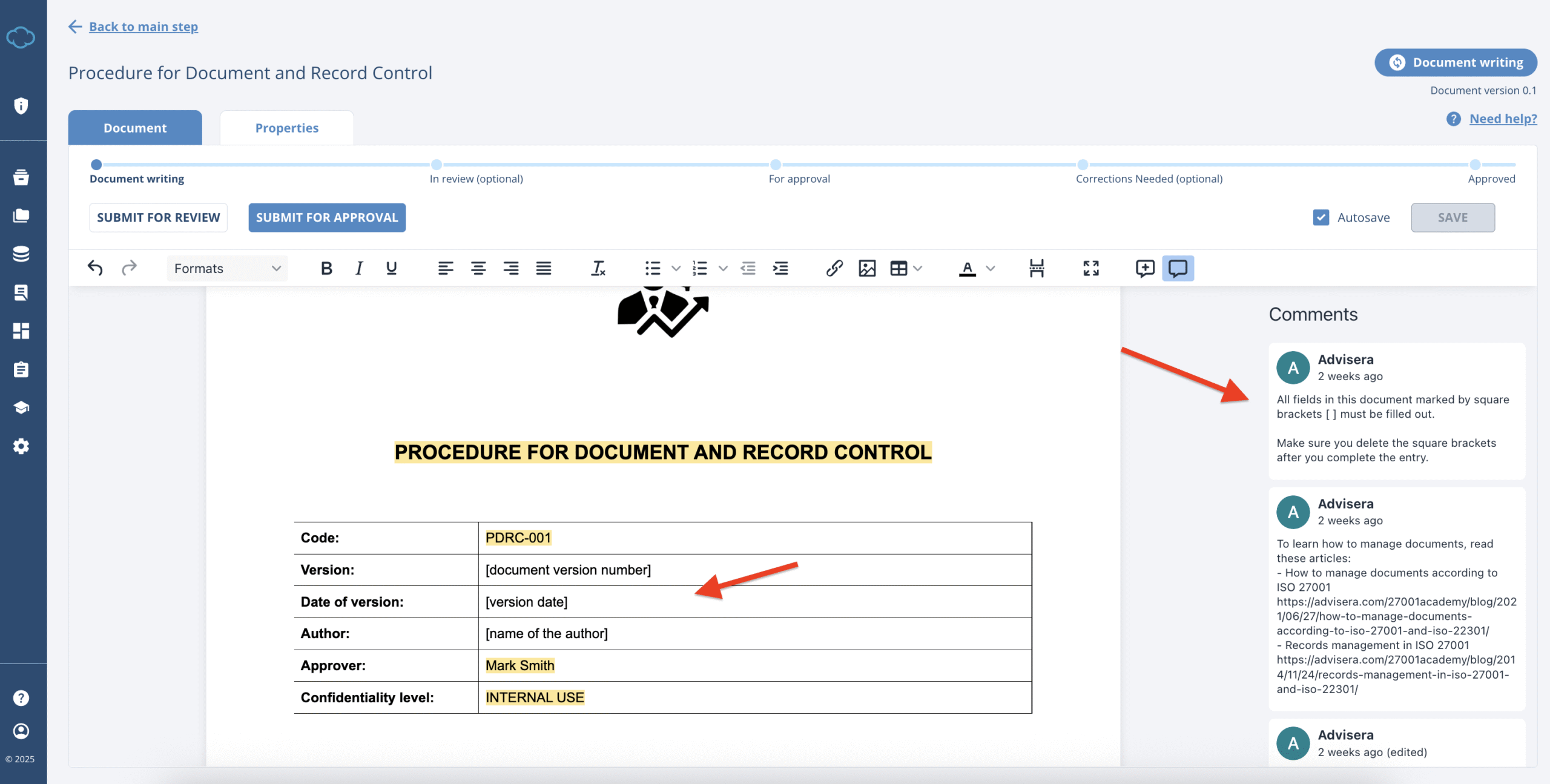
Conformio has the Document Wizard and Online Editor feature to help you work on your documents. The Document Wizard guides you through all the mandatory and most relevant documents by navigating you with specific questions through the sections that need to be customized. The Online Editor allows you to work on the documents directly on the platform and amend them to your own liking, which allows much more customization than the Document Wizard.
By having all that is needed in the process of creating and approving the document, the Document Wizard and Online Editor will:
- Reduce the time needed to complete all of the documents;
- Allow you to distribute documents to all the relevant people;
- Allow you to prepare for the certification audit fully.
NOTE: Conformio itself will not certify a company – certification has to be done by a dedicated Certification body.
CONFORMIO in the different languages
- ENGLISH language
- for users who opened the account before October 22nd 2025, navigate to the Document Wizard article
- for users who opened the account after October 22nd 2025, navigate to the Online Editor article
- GERMAN language
- for German, navigate to the Conformio in German article
NOTE: users who are using Document Wizard but wish to switch to the Online Editor and or switch languages – this is possible, but will require complete reset of the account (all data is lost).
Document Wizard
DISCLAIMER: Users who opened the account before October 22nd 2025, have by default enabled Document Wizard and should navigate to the Document Wizard article.
Online Editor
DISCLAIMER: Users who opened the account after October 22nd 2025, have by default enabled Online Editor and should navigate to the Online Editor article.
Conformio in German
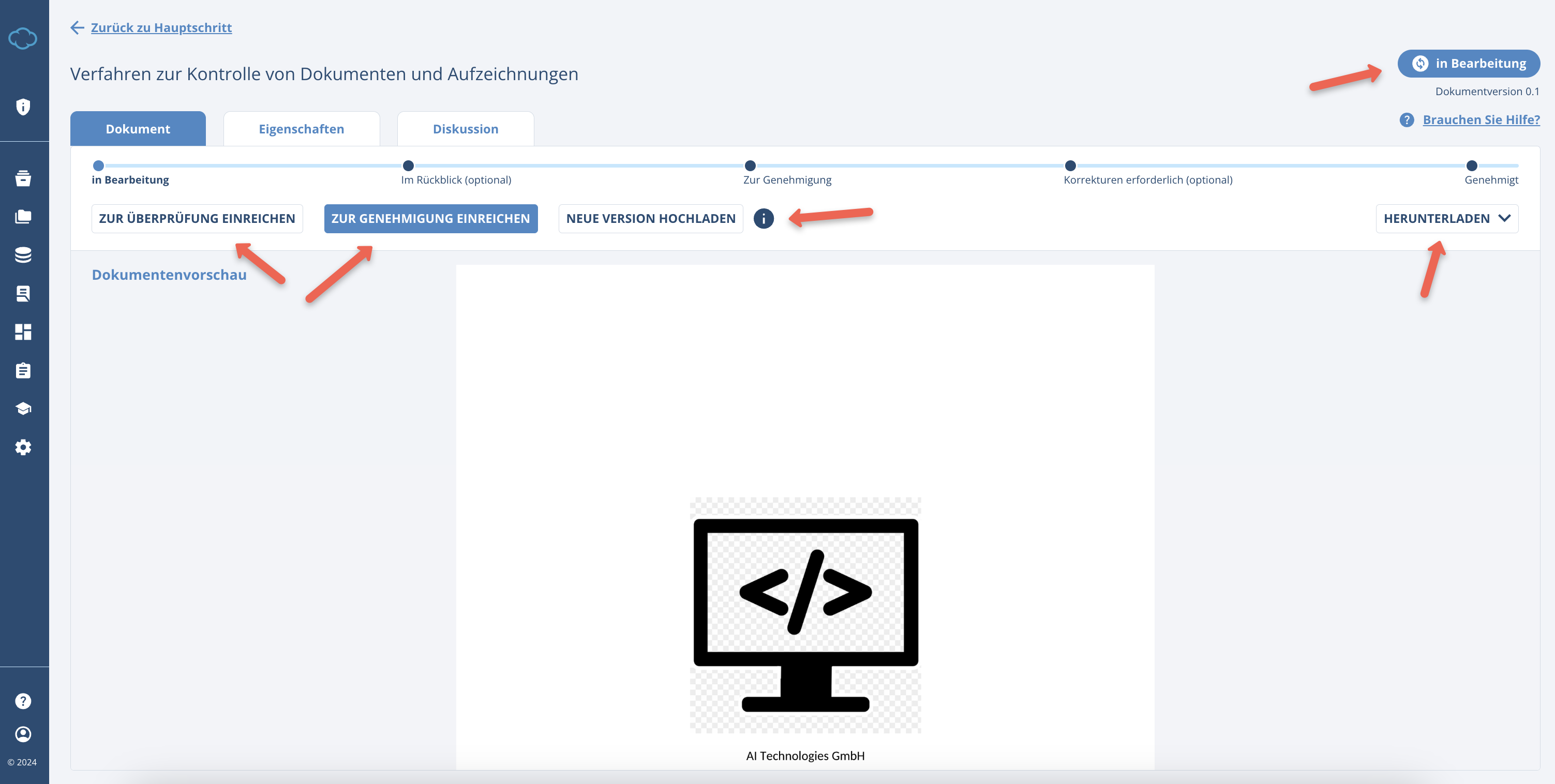
Users who opened the account in German have by default enabled a specific version of the editor targeted towards German clients and should navigate to the Conformio in German article.
Document Statuses in Conformio
Conformio uses 6 statuses of documents:
- In Progress
- In Review
- For approval
- Correction needed
- Approved
- Withdrawn
Document status “In Progress”
The In Progress is the status a document has:
- Once it is started,
- While it is being edited.
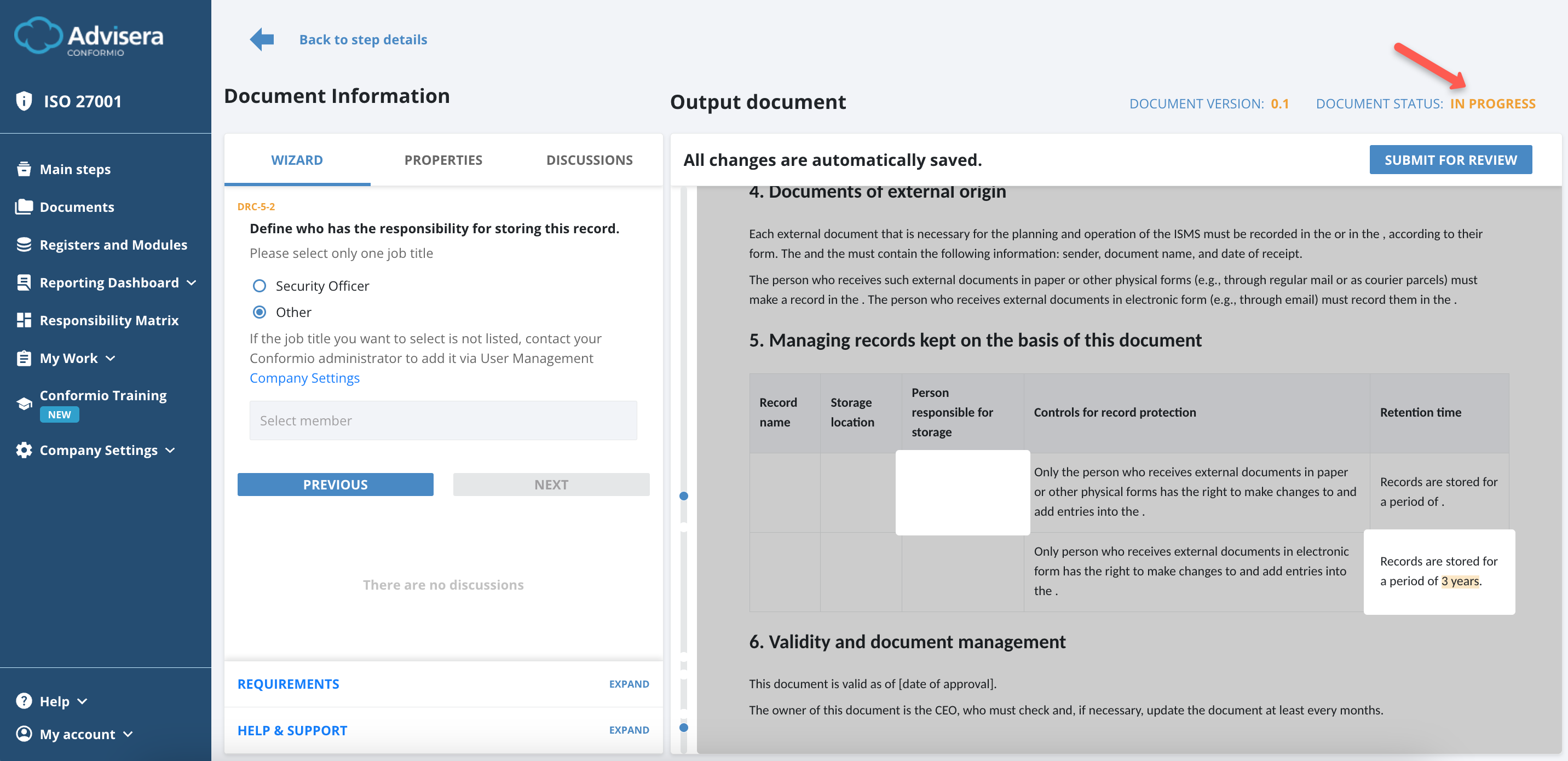
When the document is in this status, the document Owner can edit the sections highlighted by the wizard.
Before the document is approved for the first time, nothing will be shown in the Documents Explorer. If a document has already been approved and is now being edited, then the previously approved version will be shown in the Documents Explorer until the new version is approved.
This is the only document status in which the document is editable (i.e., answers to questions can be changed). The Step Performer (the author of the document) and the Admin can edit the document at any time.
Sending the Document for Review
To send the written document for review, please follow the steps:
- Select reviewers in the Properties section;
- Click the Submit For Review button;
- Input the required data (what changed and how long can they review this);
- Click Submit for Review in the pop-up window.
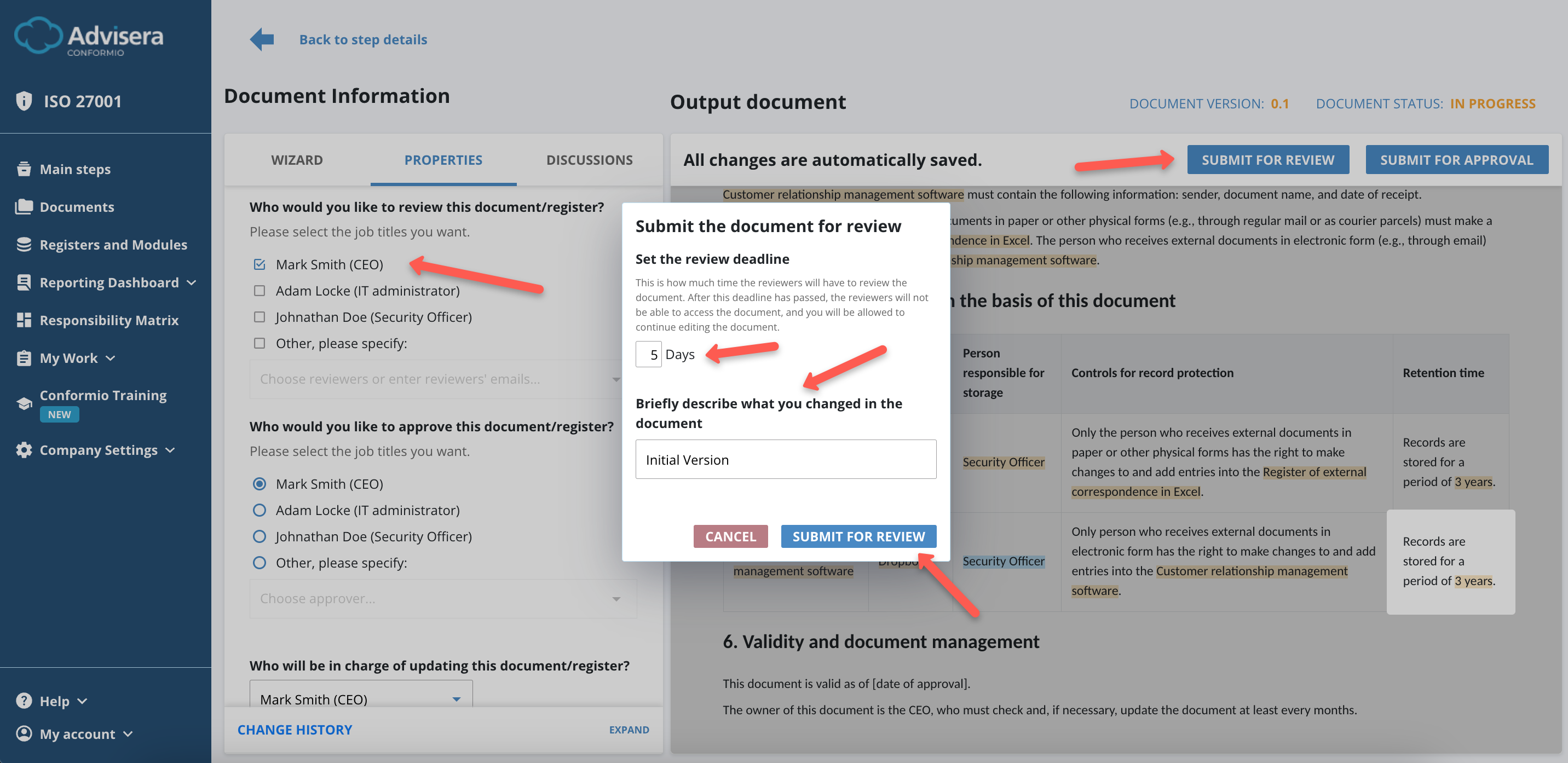
In case the document Owner does not define a timeframe, the default deadline set for reviewing the document is 3 days (this also includes weekends, i.e., if a document is submitted for review on Friday, the deadline will be Monday).
Document status “In Review”
When the document is submitted for review, the status will change to In Review. At this stage, the document will not be shown in the Documents Explorer.
In case the document was approved previously and later edited and sent for another review, only the previously approved version is accessible in Documents Explorer.
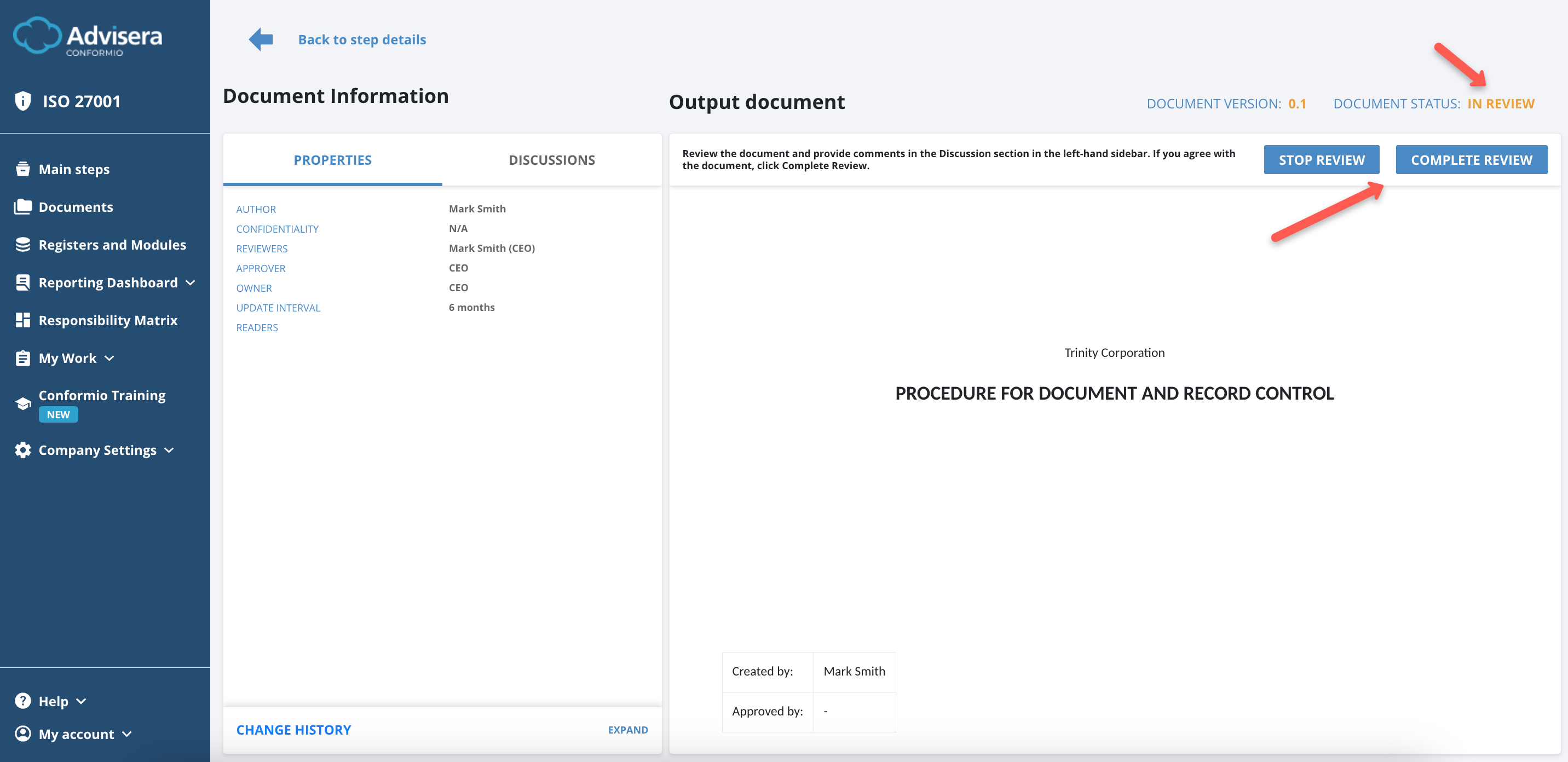
The reviewers can’t edit the document, but they can comment on a specific paragraph in the Discussion section. The Owner of the document, the Admin, and the reviewers will have access to this document with different permissions:
- The Owner and the Admin will have the option to stop the review at any point in time. The option to stop the review exists so that the document does not get stuck in the review or approval cycle in case one of the reviewers or the Approver no longer works for the company or is removed from the project;
- The reviewers will have the option to Complete the Review.
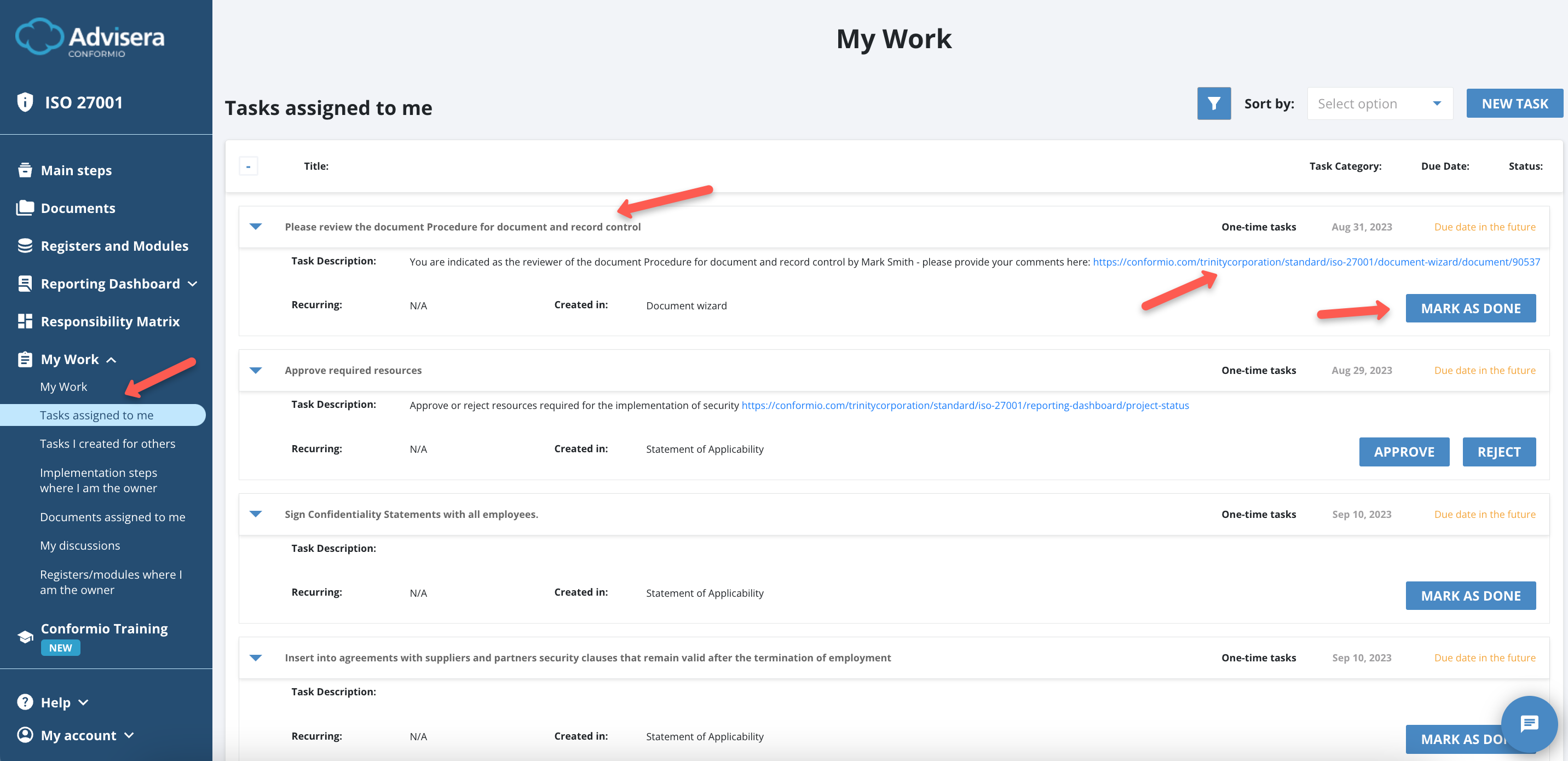
When the document is sent for review, all reviewers receive an email with an external link to that document. This link expires once the review is completed.
If a reviewer is an active or inactive member of Conformio, a task is created and visible under My Work for active users. The tasks and their status can be followed under the Responsibility Matrix for all other Reviewers, including the external Reviewers. The document can be reviewed directly by clicking the Mark as Done button.
When the review is completed, the document’s status will switch back to In Progress, but the version will be increased by one.
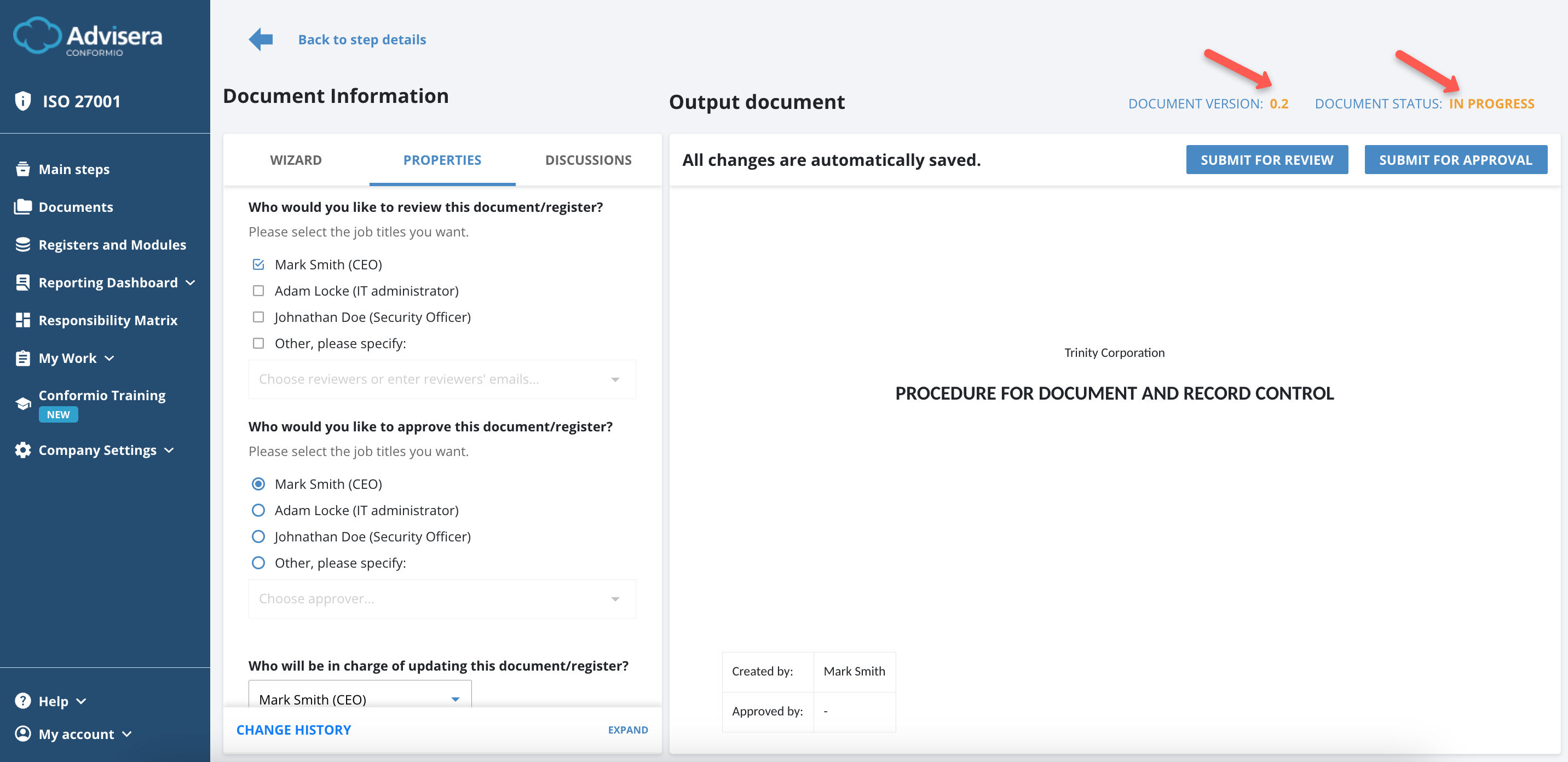
Document status “For Approval”
The document Owner can review comments made during the review in the Discussions section, make changes, and send the document for approval by clicking the Submit For Approval button.
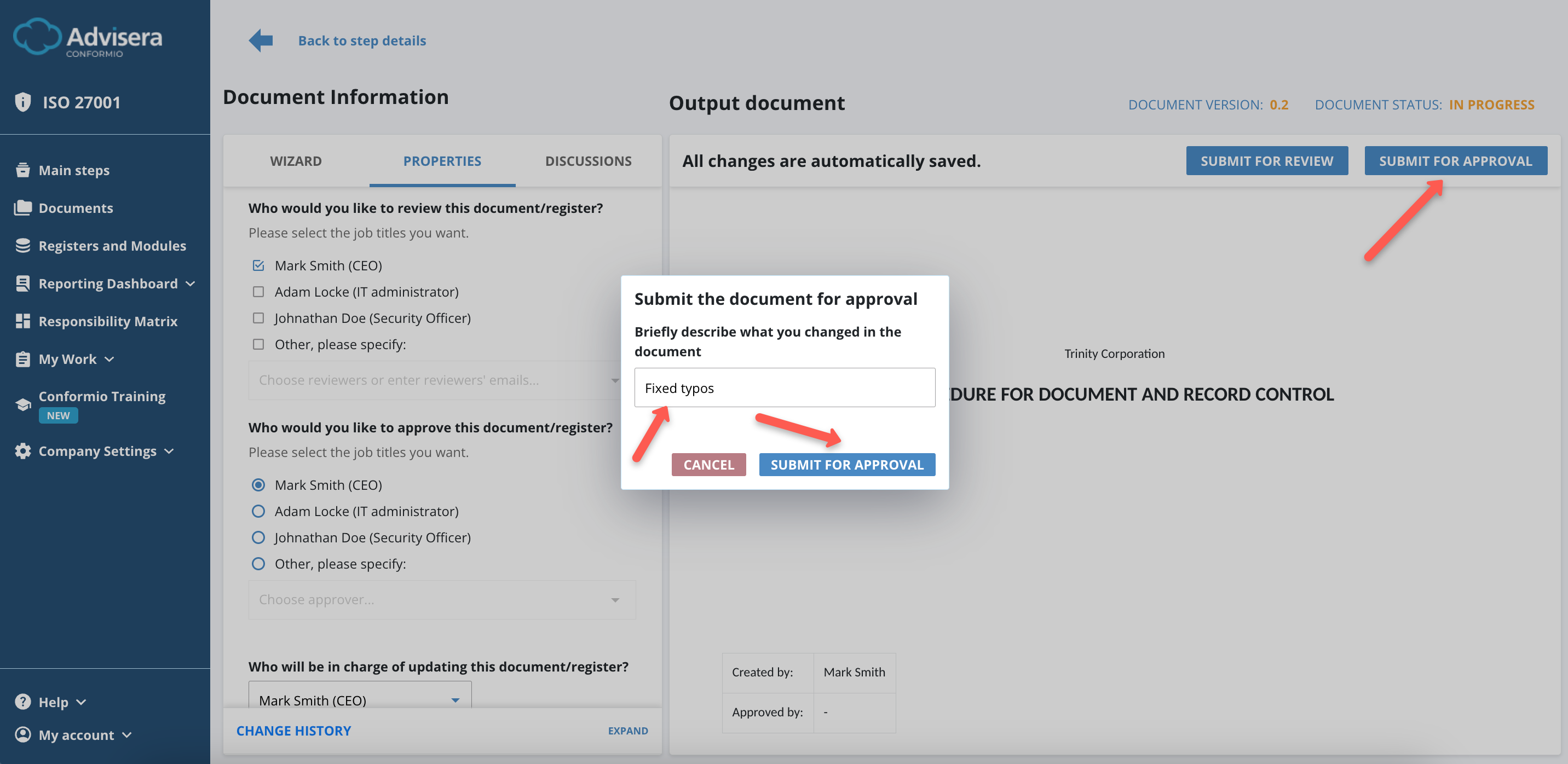
After submitting for approval, the document status will be changed to For Approval.
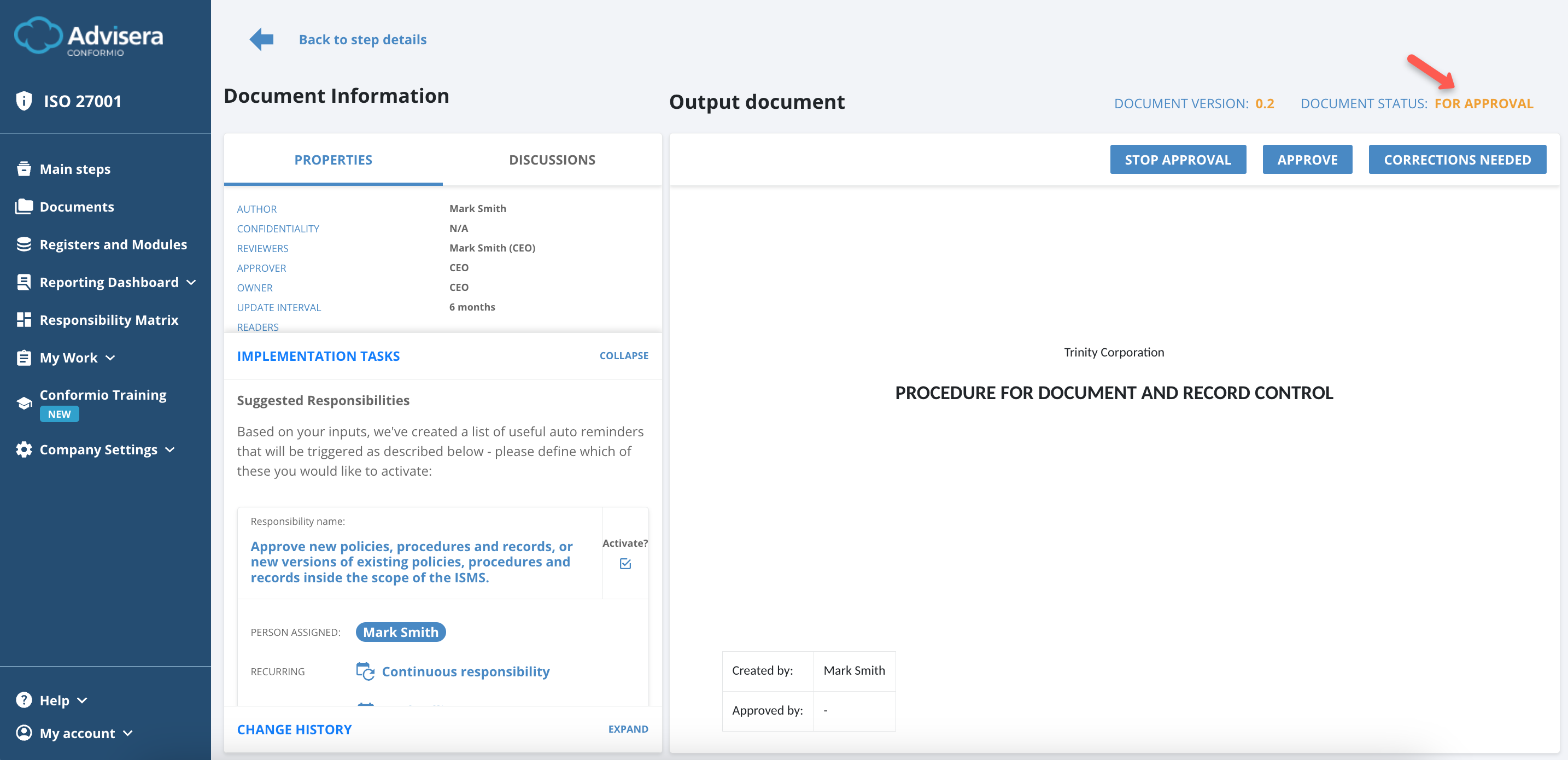
The document under the For Approval status is not editable, but the Approver can add comments under the Discussions section for a specific paragraph.
Other permissions set when the document is in this status are:
- The Owner of the document and the Admin can stop the approval at any time;
- The Approver of the document has 2 options:
- Approve the document. When the Approve button is clicked, the document is officially approved and stored in the Documents Explorer;
- Send the document for corrections by clicking the Corrections Needed button. If the Approver sends the document back for corrections, the status of the document is changed to Correction needed.
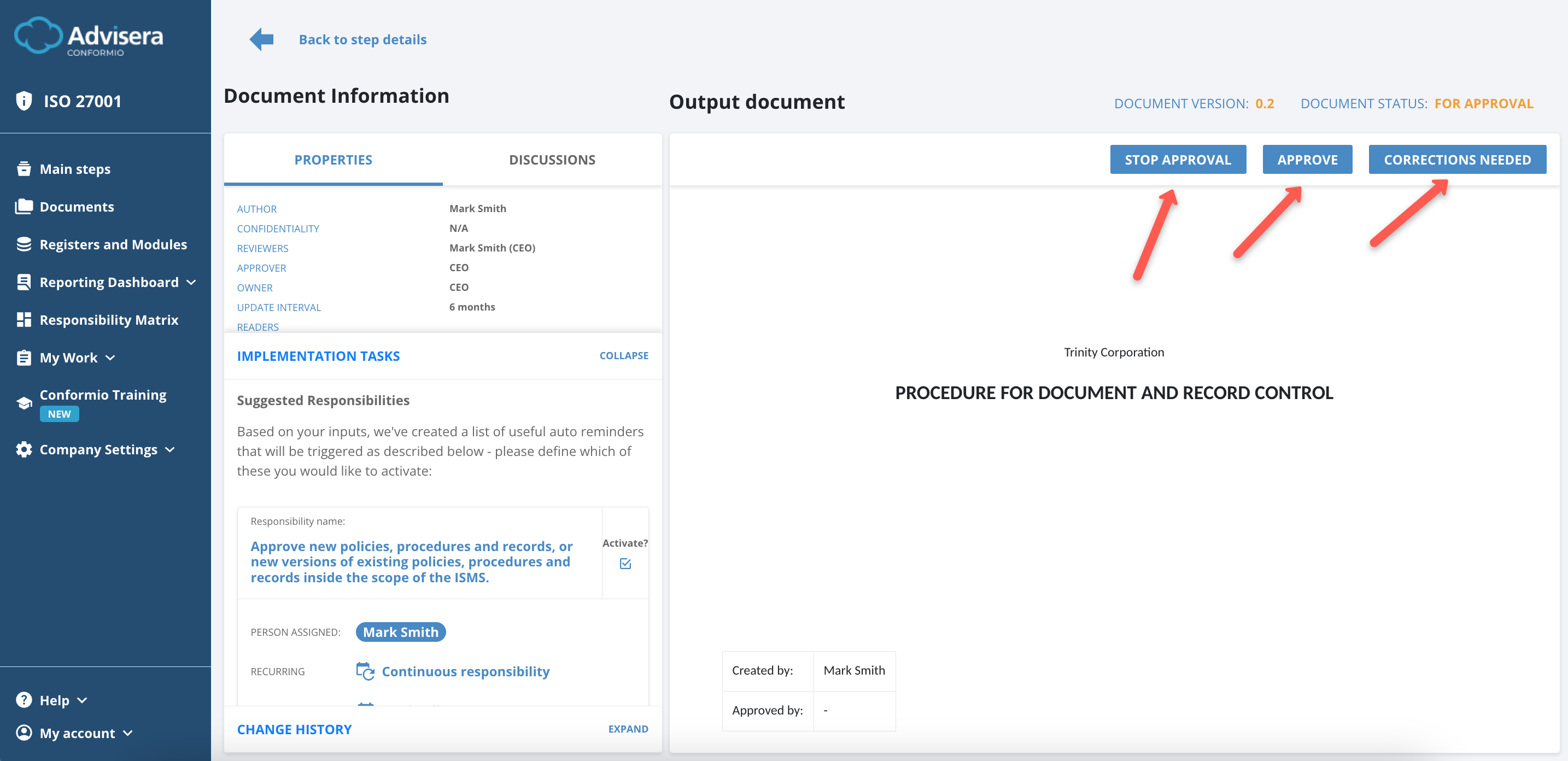
Document status “Correction needed”
If corrections are needed, the Approver needs to state that in the comment under the Discussions section, click the Corrections Needed button, and the status will change to Correction Needed.
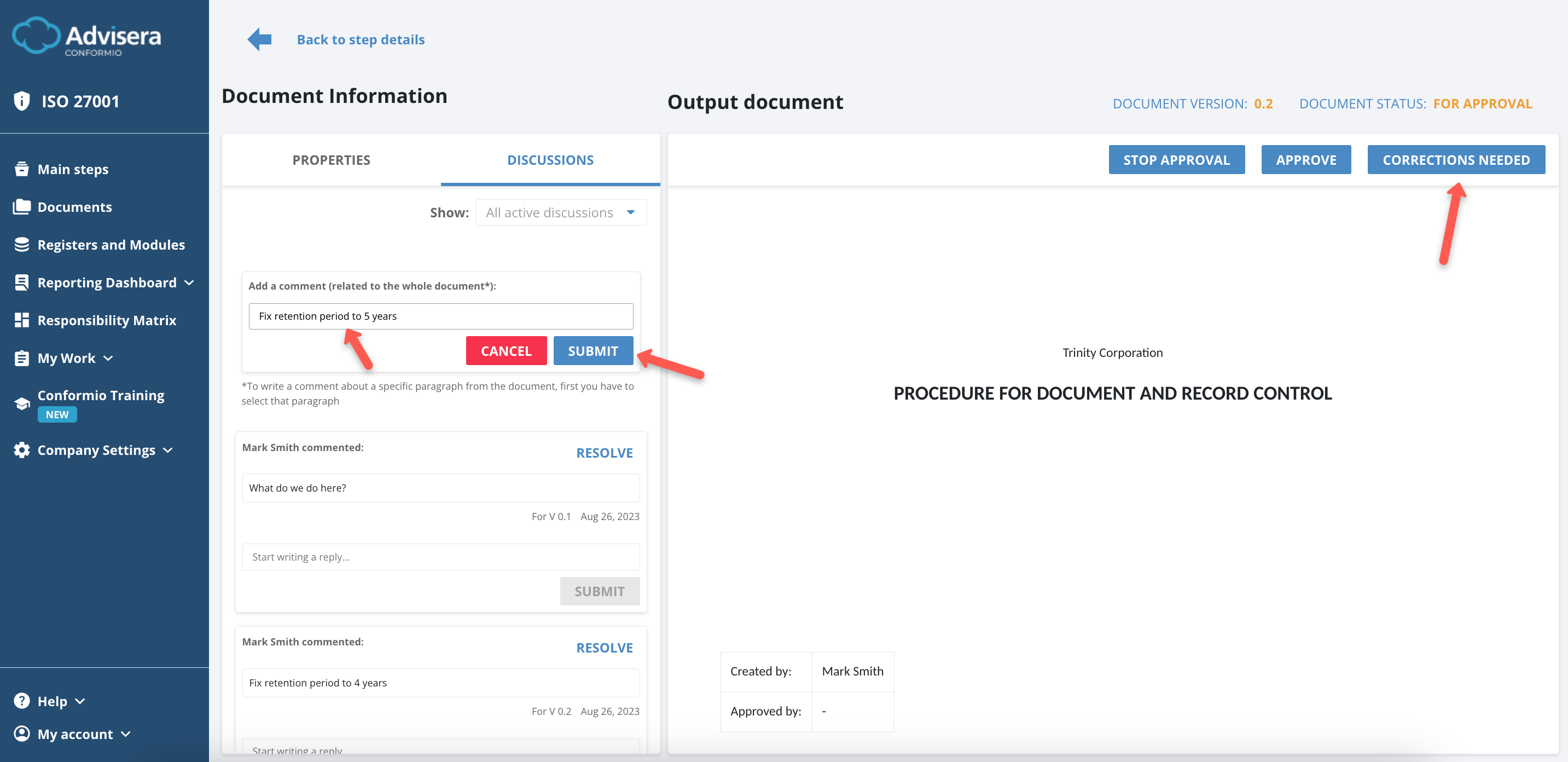
The document under the Corrections Needed status can’t be edited, and commenting under specific paragraphs is not possible. This is a transitional state. The document is rejected (not approved), and waiting for the Owner to start editing it and correcting mistakes by clicking the Edit Document button.
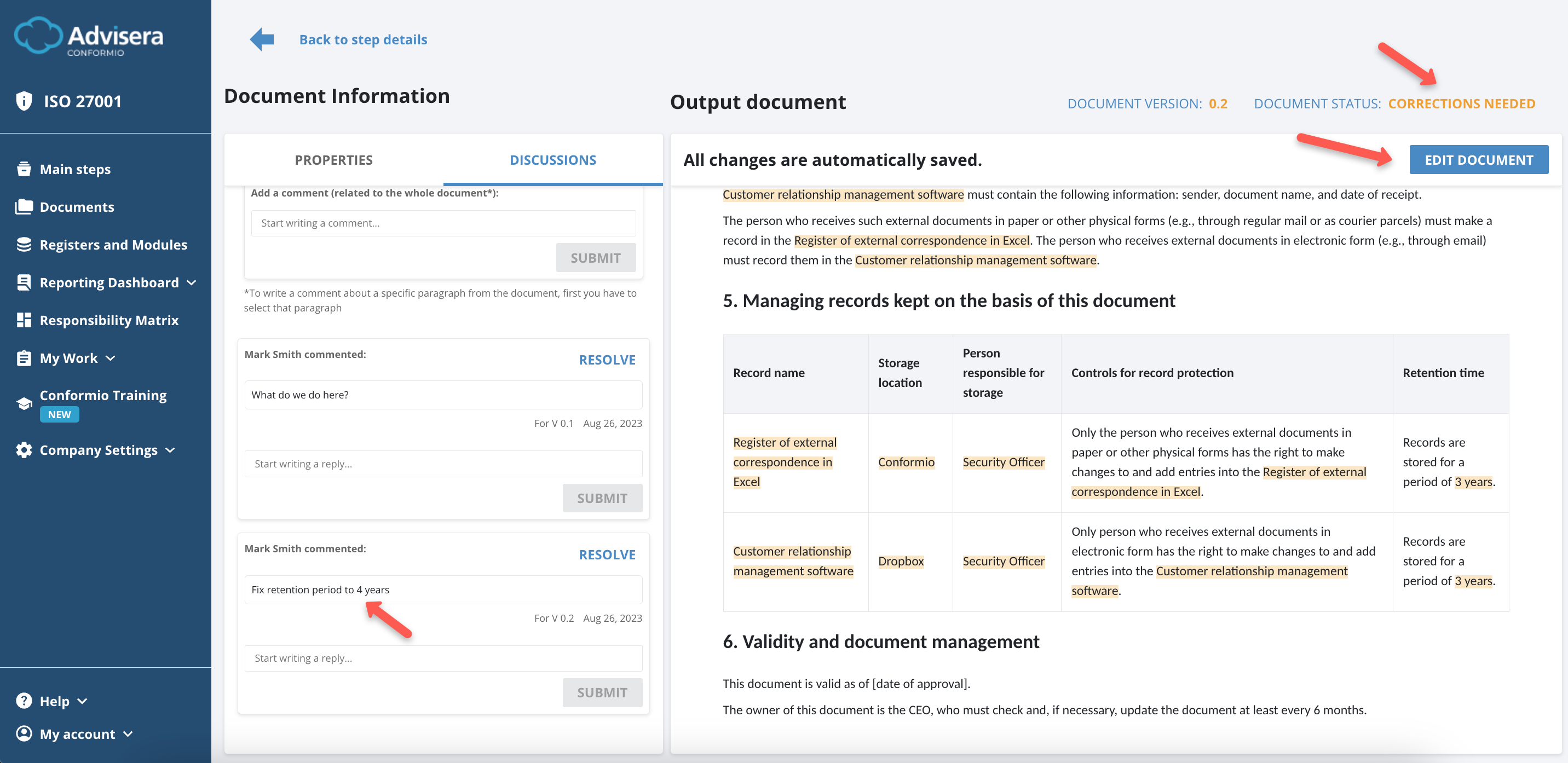
To make the corrections, the document will need to change status from Corrections Needed to In Progress and only then be sent again to Review or For Approval and then to Approved.
Document in status “Approved”
When the Approver approves the document, the Document status will be approved. Approved documents are not editable, and you can’t comment on a specific paragraph.
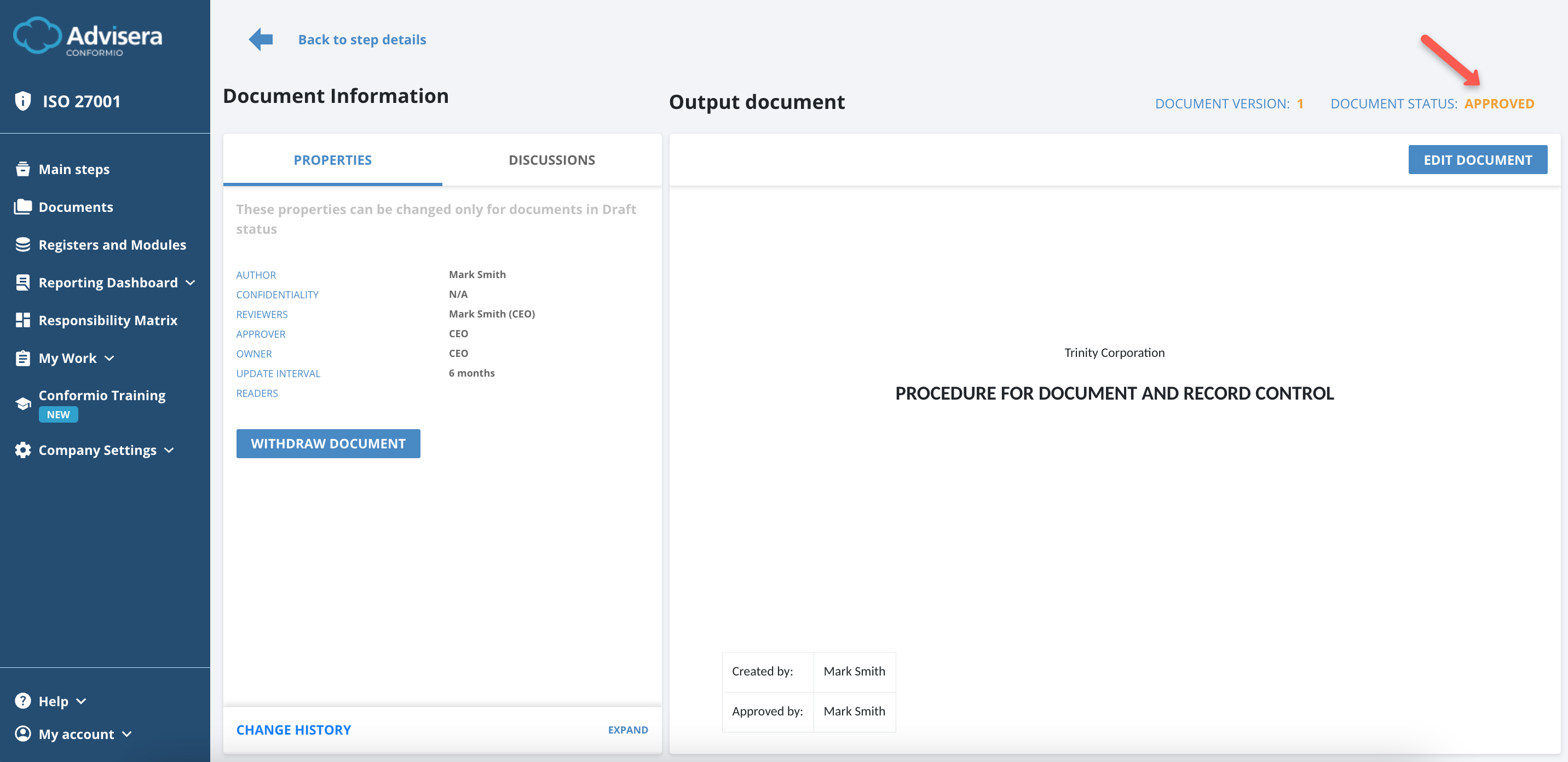
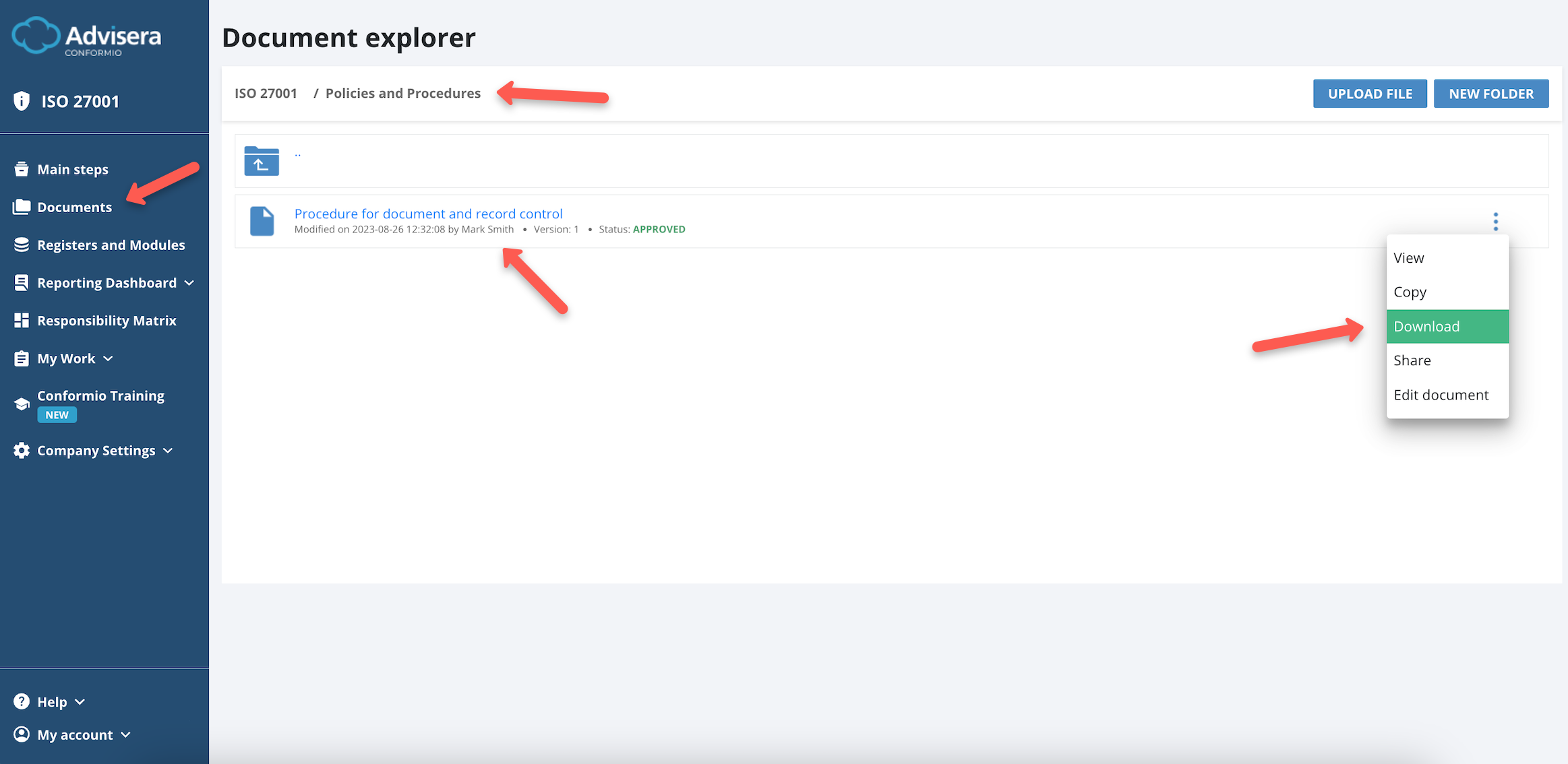
The approved document can be downloaded as a PDF via the Documents Explorer if you are on a paid plan and can be viewed from the Document Wizard.
Document in status “Withdrawn”
The Owner of the document and the Admin can withdraw the document at any time.
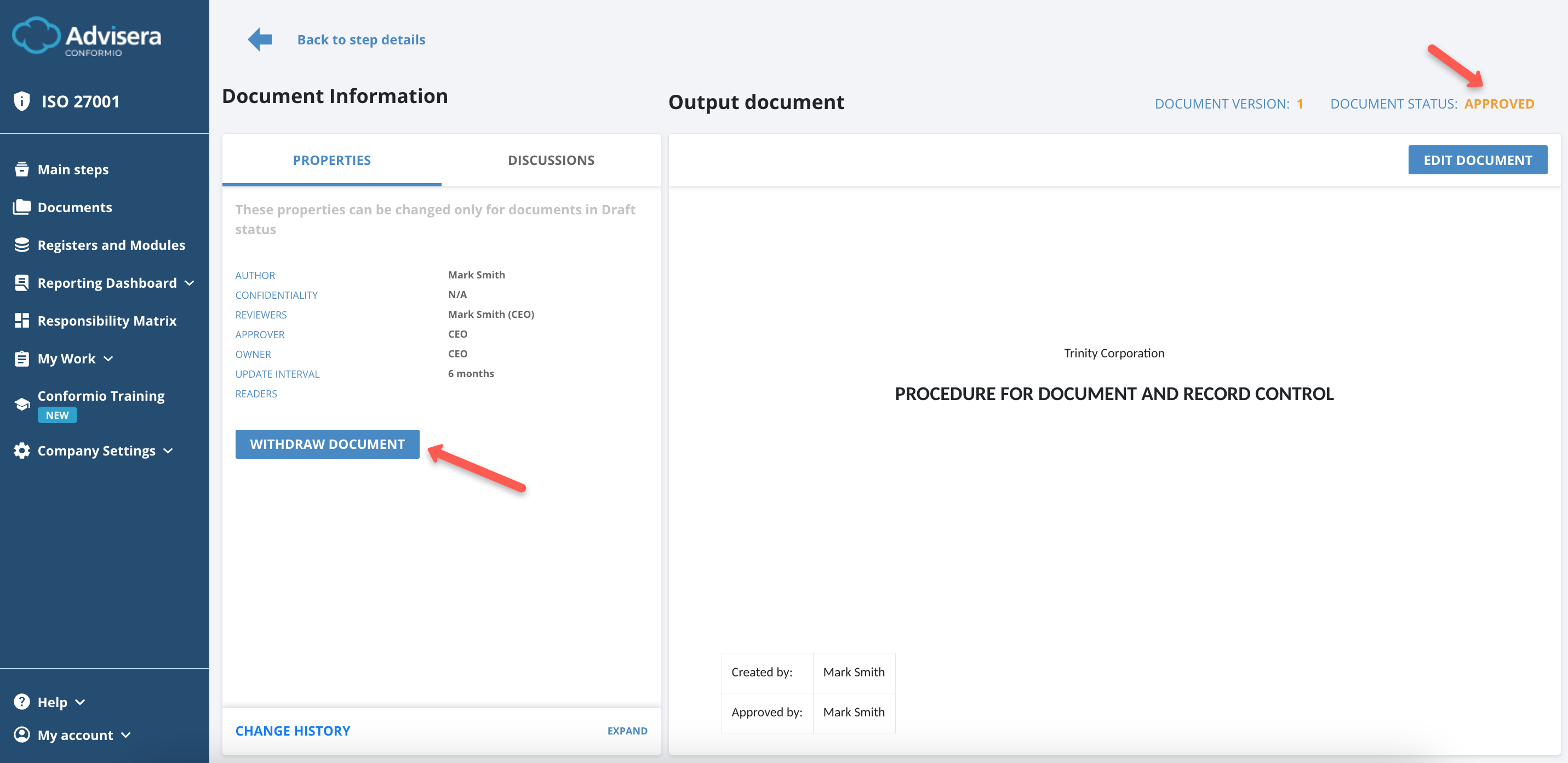
When the document is withdrawn, its status is changed, and this version of the document is no longer valid. The status of the document is visible in the status identifier.
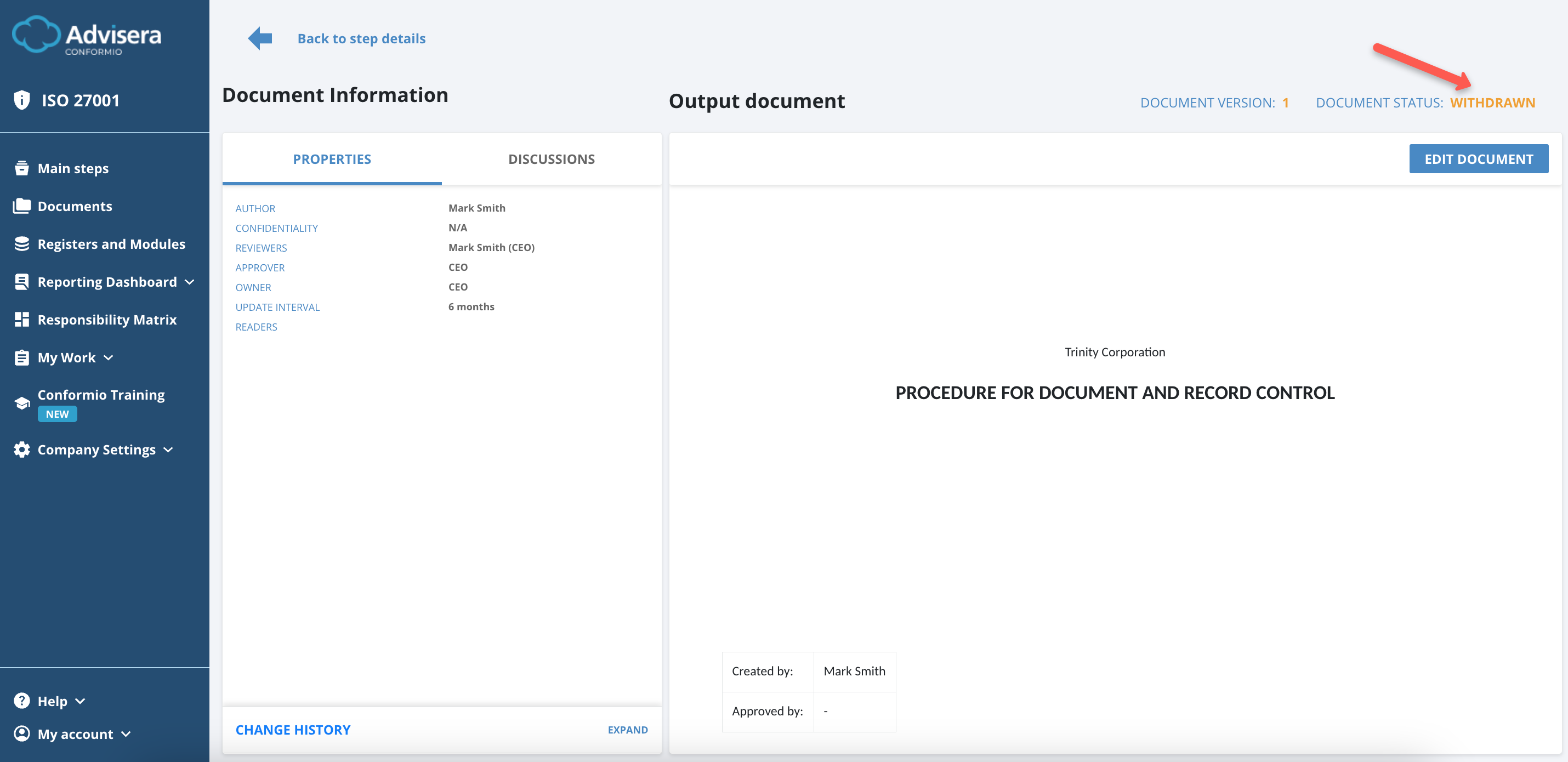
CAUTION: There is a possibility that the document is withdrawn automatically. This happens if the document was added via the Statement of Applicability as an additional step, then approved, and later removed from the Statement of Applicability. Then, the status of that document is automatically changed to Withdrawn, and this step is removed from the Implementation steps.
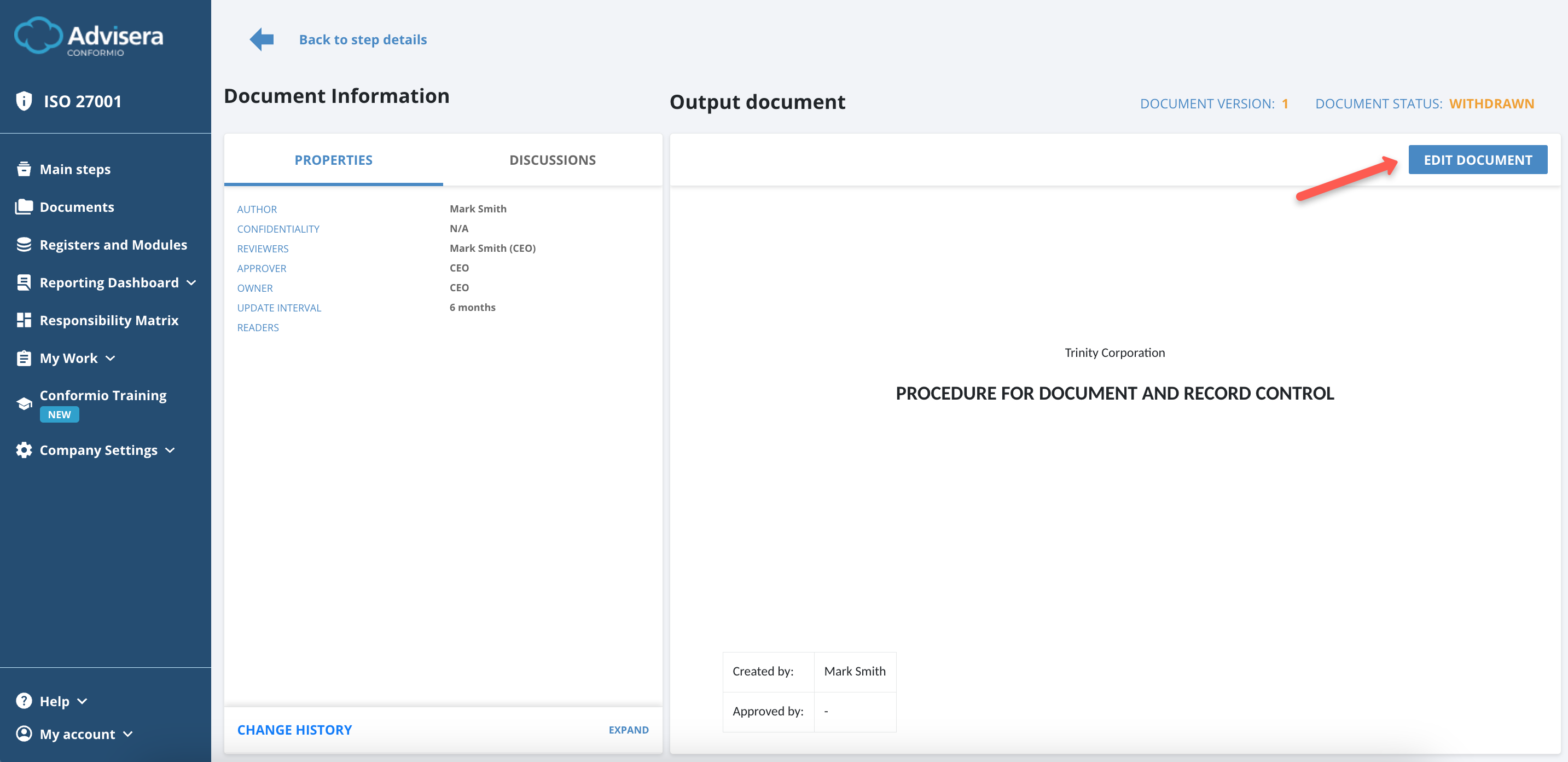
To re-approve the document, you will need to change the status from Withdrawn to In Progress by clicking the Edit Document button, and only then will you be able to approve it again by following the usual process.
Versioning of documents in Conformio
There are 2 types of versioning in Cofnormio:
- Minor version – e.g., 0.1, 0.2, 1.3
- Major version – e.g., 1.0, 2.0, 3.0
Conformio will automatically update the document version when the following occurs:
- At every change from the document draft status, Conformio will increase the minor version (0.3 -> 0.4);
- At every change to the Approved status, Conformio will increase the major version (1.3 -> 2.0).
Conformio will offer to upgrade the document to the new version when the document status is changed from Corrections Needed to In Progress.
Frequently Asked Questions:
1. I want to send the document for review and approval, but the buttons are not available. How to resolve this?
Please make sure you selected at least one reviewer and the correct Approver in the “Properties” section of the document and that every single input field in the document is filled. If there are empty fields, the document can be sent for review but not for approval.
2. Can the user responsible for the step also be the Approver and the reviewer of the document?
That is possible if that is the requirement in line with how the company is set up inside Conformio.
3. Can I edit the documents from Conformio offline in the PDF editor and then upload them back?
Yes, this is possible. However, you will lose the automation Conformio offers as this will be registered as uploading a custom document. More on this in this help article.